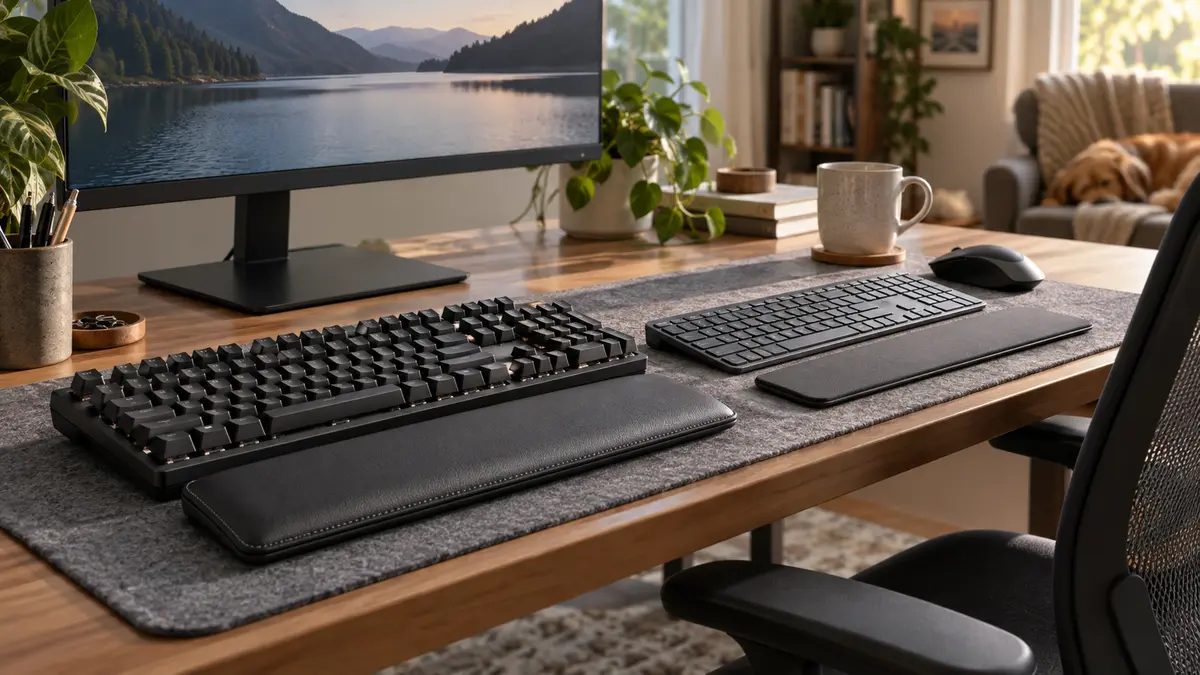
Mechanical keyboards are not automatically better. They are more customizable, more repairable in many cases and capable of a huge range of feels and sounds.
Membrane keyboards are usually cheaper, quieter and perfectly good for a lot of people.
The first question I would ask is not “Which switch?” It is what layout lets me work without fighting the keyboard or shoving the mouse halfway across the desk?
Keyboard styles to compare
Layout and noise matter as much as switch type. Test the board with your normal shortcuts and mouse position.
Mechanical means one switch per key
Mechanical keyboards use individual switches under the keys. Those switches can feel linear, tactile or clicky, with countless variations in spring weight and travel.
That variety is both the attraction and the problem. Shopping can turn into a hobby before you have typed a single email.
Membrane boards are simpler and often quieter
Most membrane keyboards use a rubber or flexible sheet to register key presses.
They can feel softer or mushier than a crisp mechanical switch, but a good membrane keyboard can be comfortable, quiet and inexpensive.
For a shared office, bedroom or family computer, that silence can be a feature worth more than hot-swappable switches.
Pick the layout before the mechanism
A full-size keyboard gives you the number pad and all the navigation keys. It also pushes the mouse farther to the side.
Tenkeyless removes the number pad. A 75% board keeps many navigation and function keys in a tighter layout. Smaller boards save even more space but usually hide functions behind key combinations.
If you enter numbers all day, removing the number pad to save six inches may be a terrible trade.
Try a full page, not three test words
Type something normal. Use punctuation. Copy and paste. Hit your shortcuts. Use the arrow keys. Enter numbers.
A switch that feels delightful when you tap it fifteen times can become tiring over an hour.
Sound comes from more than the switch
Keycaps, case material, stabilizers, desk surface and how hard you type all change the sound.
A “silent” switch in a hollow case can still be surprisingly loud. A tactile board with dampening can be quieter than a cheap membrane board whose spacebar announces every press to the house.
Low-profile boards can be a nice middle ground
They reduce key height and travel while keeping some of the crispness and repairability of mechanical switches.
They also feel more familiar to people coming from laptop keyboards.
Wireless is convenient, but check the switching behavior
If you use a laptop, desktop and tablet, multi-device Bluetooth can be genuinely useful.
Look at how quickly the keyboard switches devices and whether it remembers connections reliably.
For gaming or latency-sensitive work, wired or a good dedicated wireless connection may be preferable.
Ergonomics is bigger than the keyboard
The keyboard should sit where your shoulders can relax and your wrists can stay reasonably neutral.
OSHA’s workstation guidance covers keyboard position and other setup factors. OSHA keyboard guidance is here.
A smaller layout can help by letting the mouse sit closer to your body, but no switch color fixes a desk that is six inches too high.
Repairability is a real mechanical advantage
Some mechanical keyboards let you replace keycaps, switches and cables individually.
Hot-swap sockets make switch replacement especially easy because you do not have to solder.
If you keep a keyboard for years, that can be worth paying for.
My quick choice
Mechanical: choose it if you care about key feel, customization, repairability or specific layouts.
Membrane: choose it if you want quiet, inexpensive and simple.
Then type on the thing. The right keyboard is the one you stop noticing while you work.
Shop by the criteria that matter
Amazon results change. Check each listing against the criteria in this guide.